Products

ICore Field Service

Service management for industrial teams — one system for planning work, dispatching technicians, tracking equipment and parts, and keeping SLAs visible.

Product status

ICore Field Service is ICore’s flagship product. It is a working system that is currently in testing; this page describes only functions visible in the product screenshots below. All screenshots show the built-in sample company (for example “Customer A” and “Customer B”), not real customer data.

Product overview

Flagship product · In testing

ICore Field Service helps service and maintenance organisations manage the full cycle of field work: receiving and organising work orders, issuing job orders, scheduling and dispatching technicians, recording equipment and spare-part usage, monitoring SLA performance, and preparing quotations and invoices.

The office works in a web application. Technicians and administrators can also use a mobile interface. The interface is available in English and Thai and supports a dark theme.

Open ICore Field Service ↗

Opens the application in a new tab. The application is currently in testing.

Key capabilities

Grouped by how the work flows. Every item below is visible in the supplied product screenshots.

01

Work & job management

  • Work orders and job orders with customer, equipment, priority, status and due date
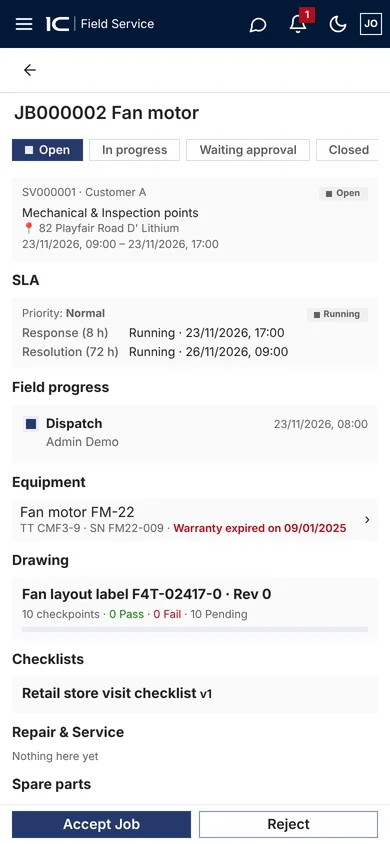
  • Job detail with summary, SLA, field progress, equipment, drawings, checklists, repair & service, spare parts, expenses and technicians
  • Approvals and customer sign-off, with a report view and PDF option
02

Scheduling & dispatch

  • Schedule in day, week and month views
  • Dispatch & route planning on a technician timeline
  • Workload per technician, with warnings for tight travel and overlaps and a suggested order
03

Equipment & maintenance

  • Equipment records with model, serial number, location and tags
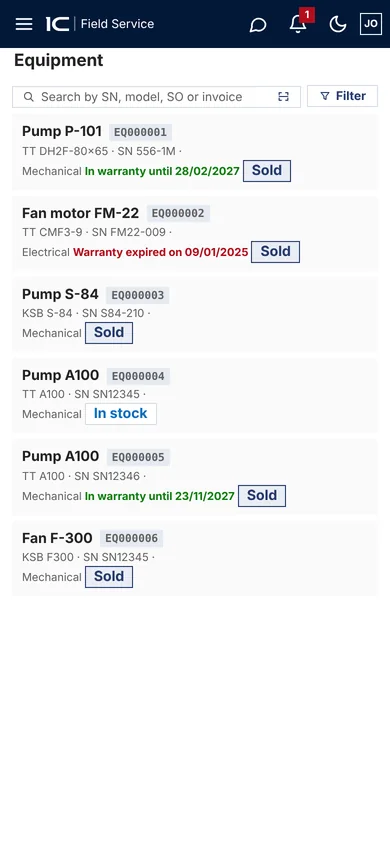
  • Warranty status and sales information per unit
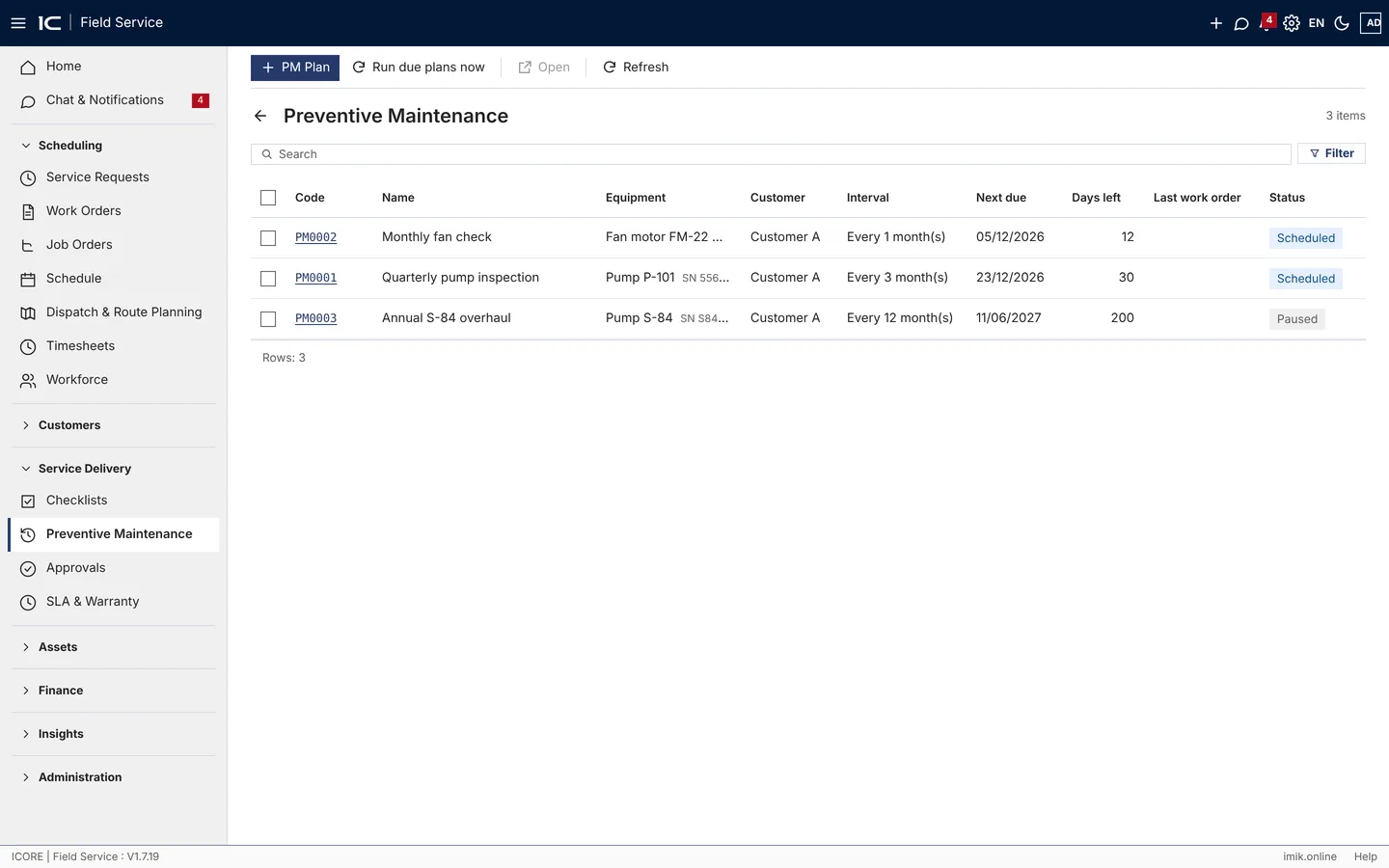
  • Preventive maintenance plans with interval, next due date and days left
  • Checklist templates attached to job orders
04

Inventory & spare parts

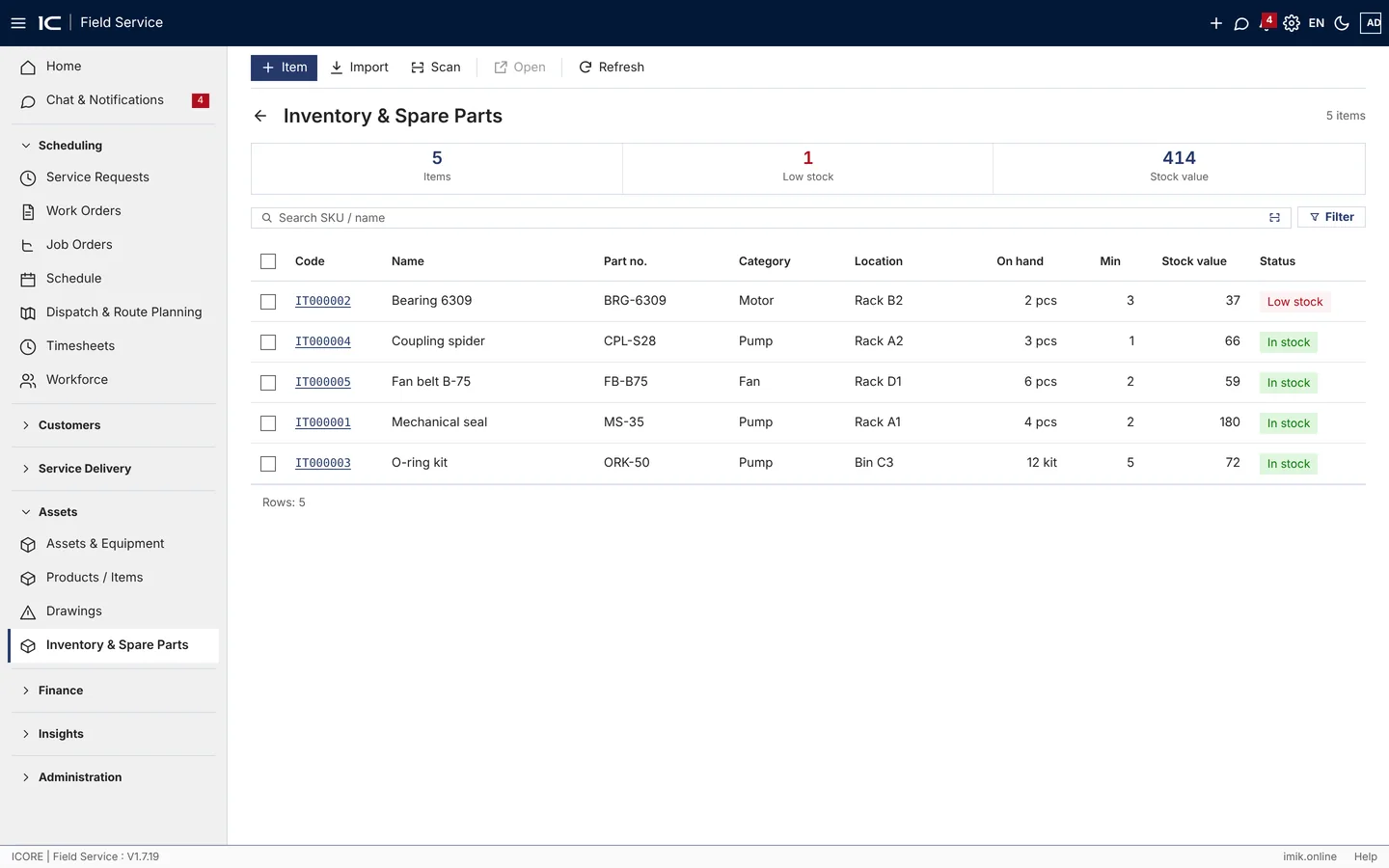
  • Items with part number, category, location and on-hand quantity
  • Minimum levels, stock value and low-stock status
  • Spare parts recorded against jobs
05

Service quality & finance

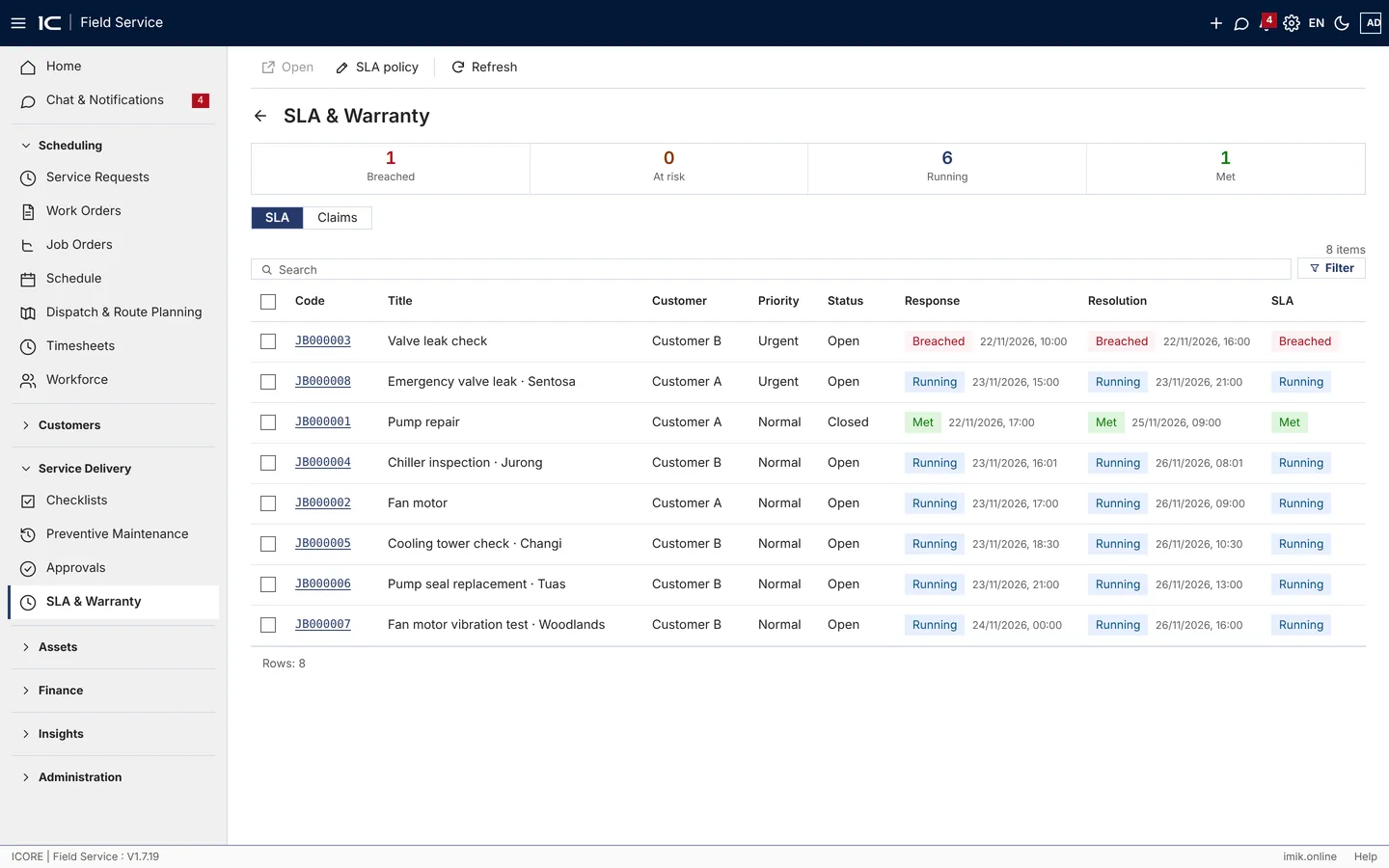
  • SLA & warranty monitoring: breached, at risk, running and met
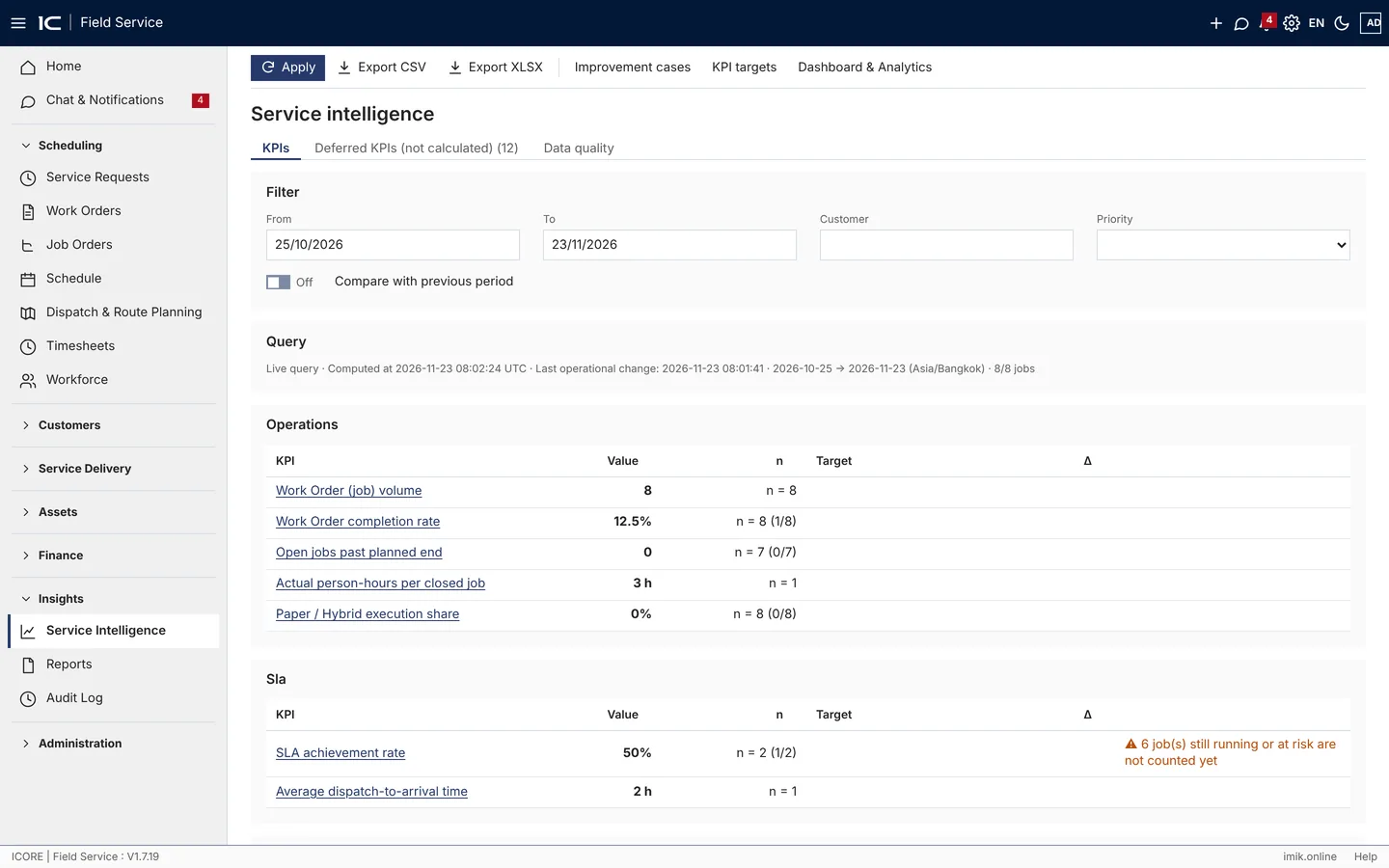
  • Service intelligence indicators with CSV and XLSX export
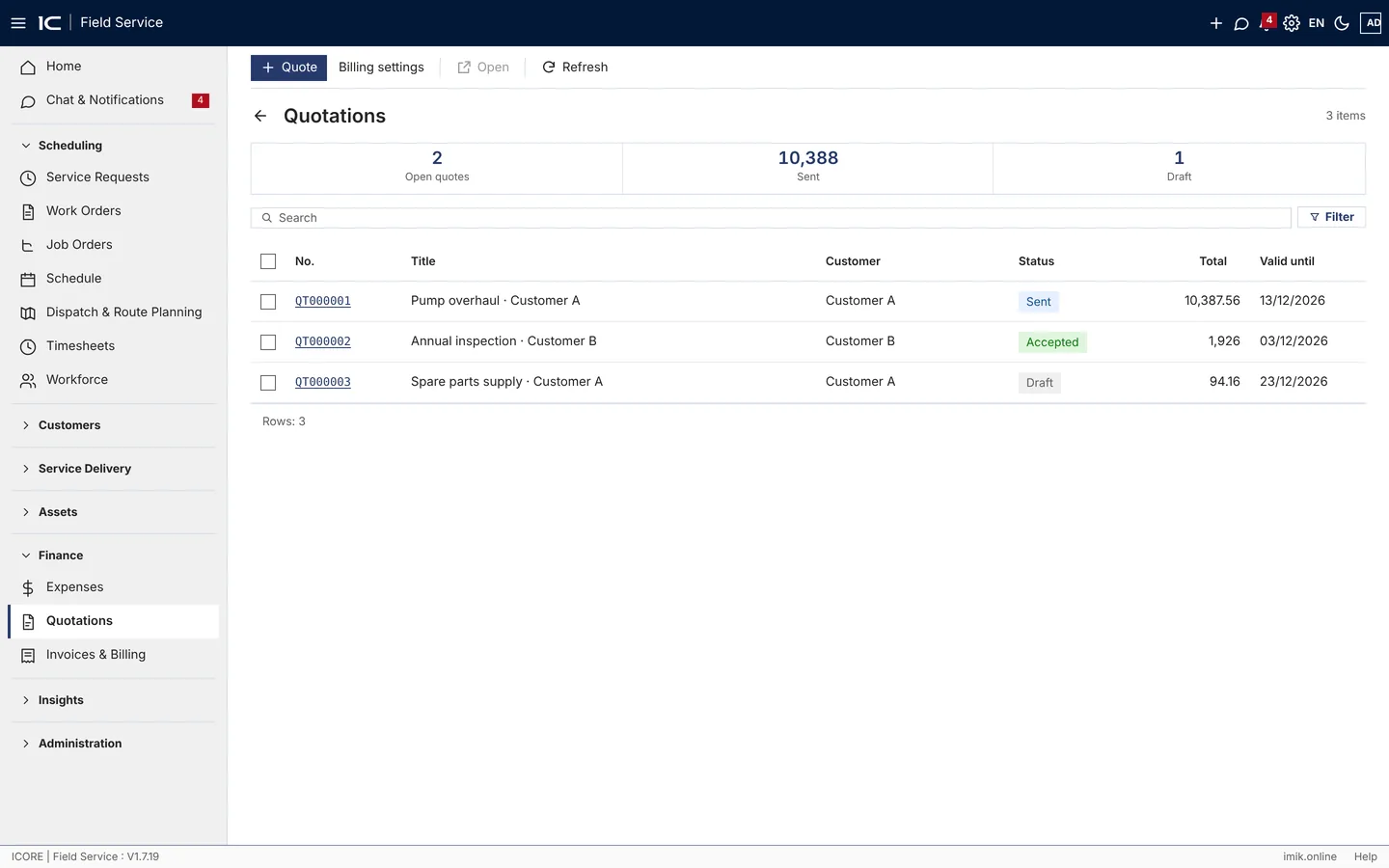
  • Quotations and invoices & billing with status and totals
  • Reports
06

Collaboration & administration

  • Chat by work order, plus general chat and notifications
  • Workforce list with titles and roles
  • Data import with CSV and Excel templates for master and transaction data
  • English and Thai interface, light and dark theme

Web application

The office workspace for planning, monitoring and managing service operations. Sample data. Sample data

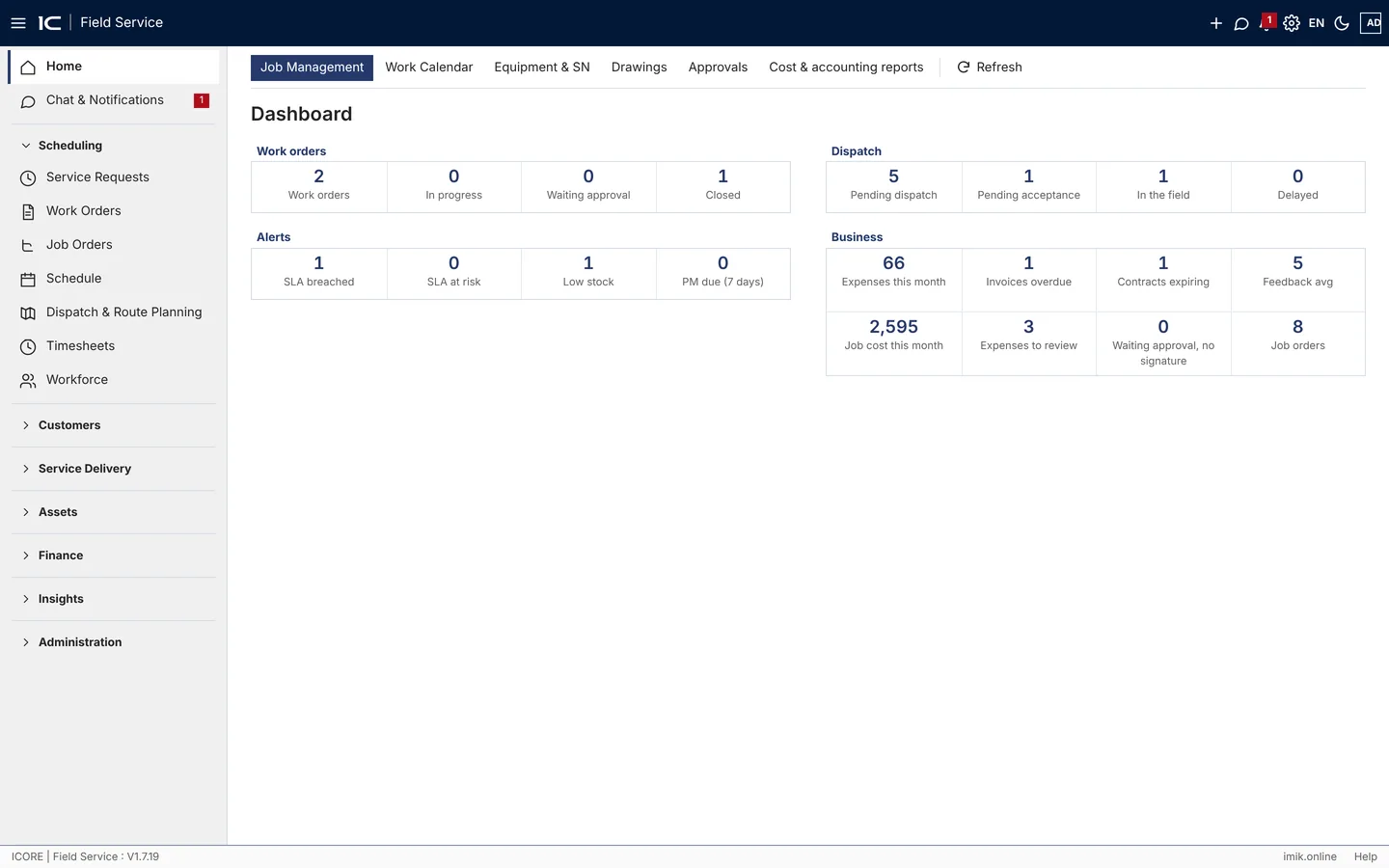
Dashboard — ICore Field Service screenshot (sample data)
DashboardWork orders, dispatch status, alerts and business indicators on one screen.
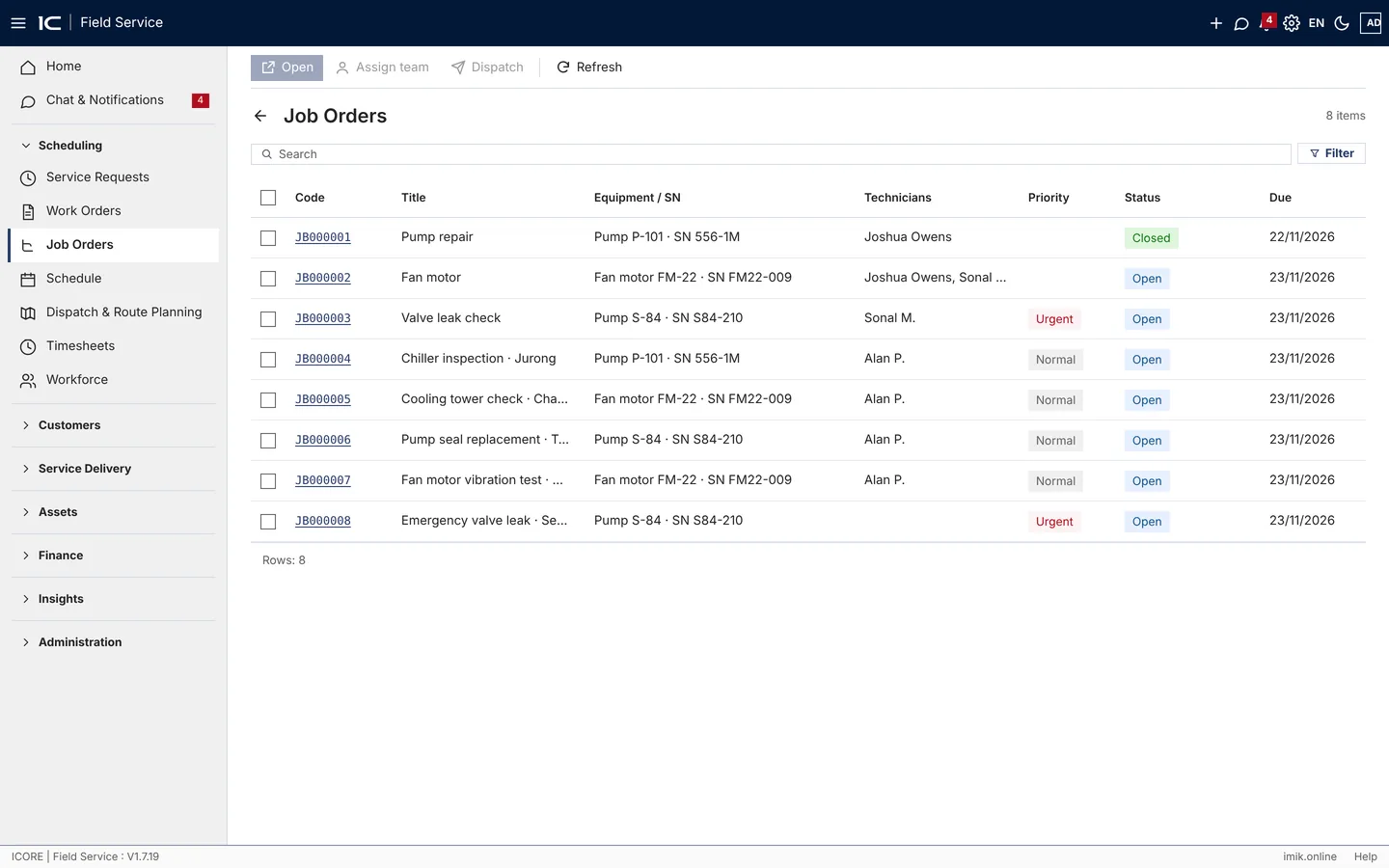
Job orders — ICore Field Service screenshot (sample data)
Job ordersJob list with technicians, equipment, priority, status and due date.
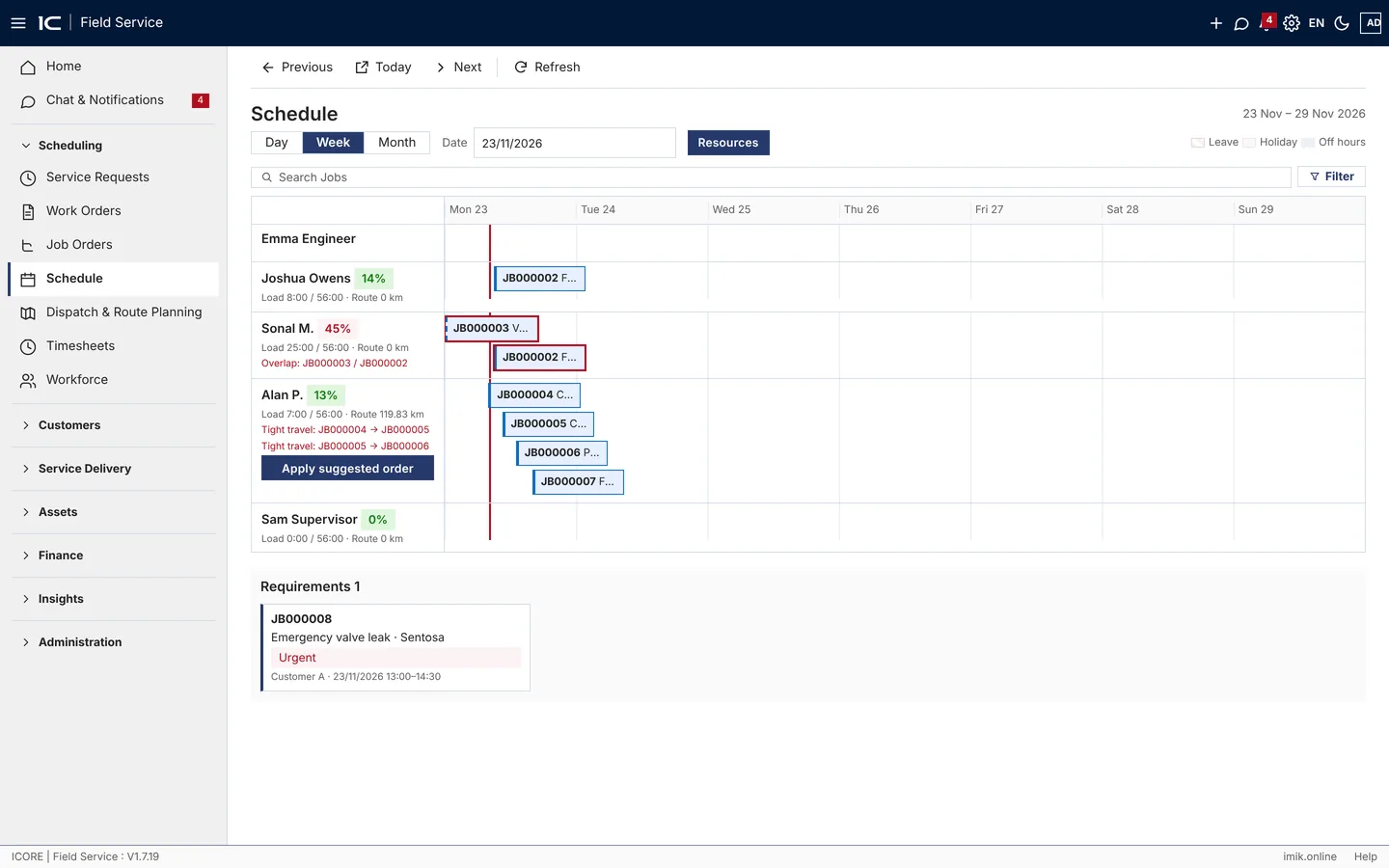
Schedule — ICore Field Service screenshot (sample data)
ScheduleDay, week and month views of planned work by technician.
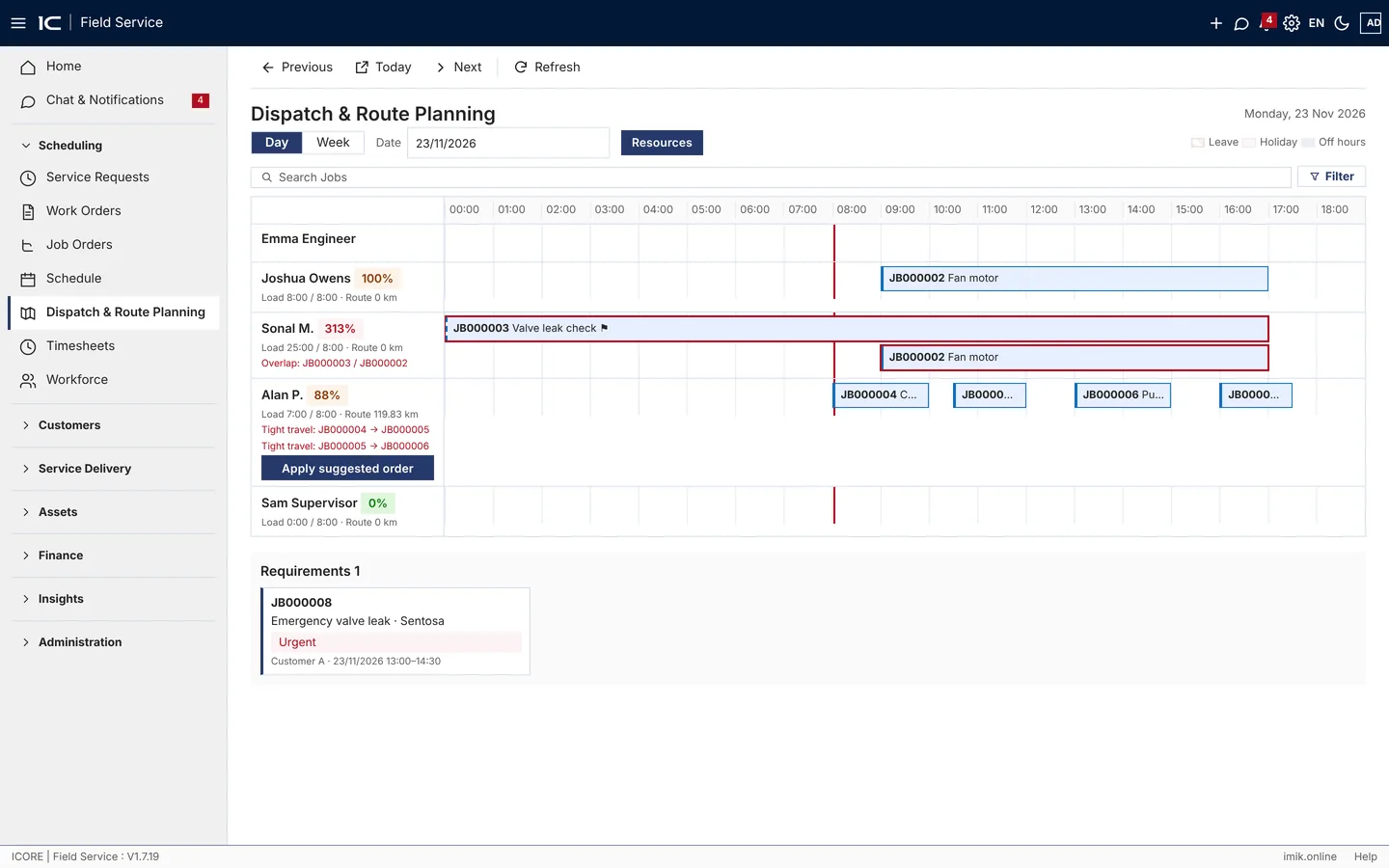
Dispatch & route planning — ICore Field Service screenshot (sample data)
Dispatch & route planningTechnician timeline with workload, route distance and tight-travel warnings.
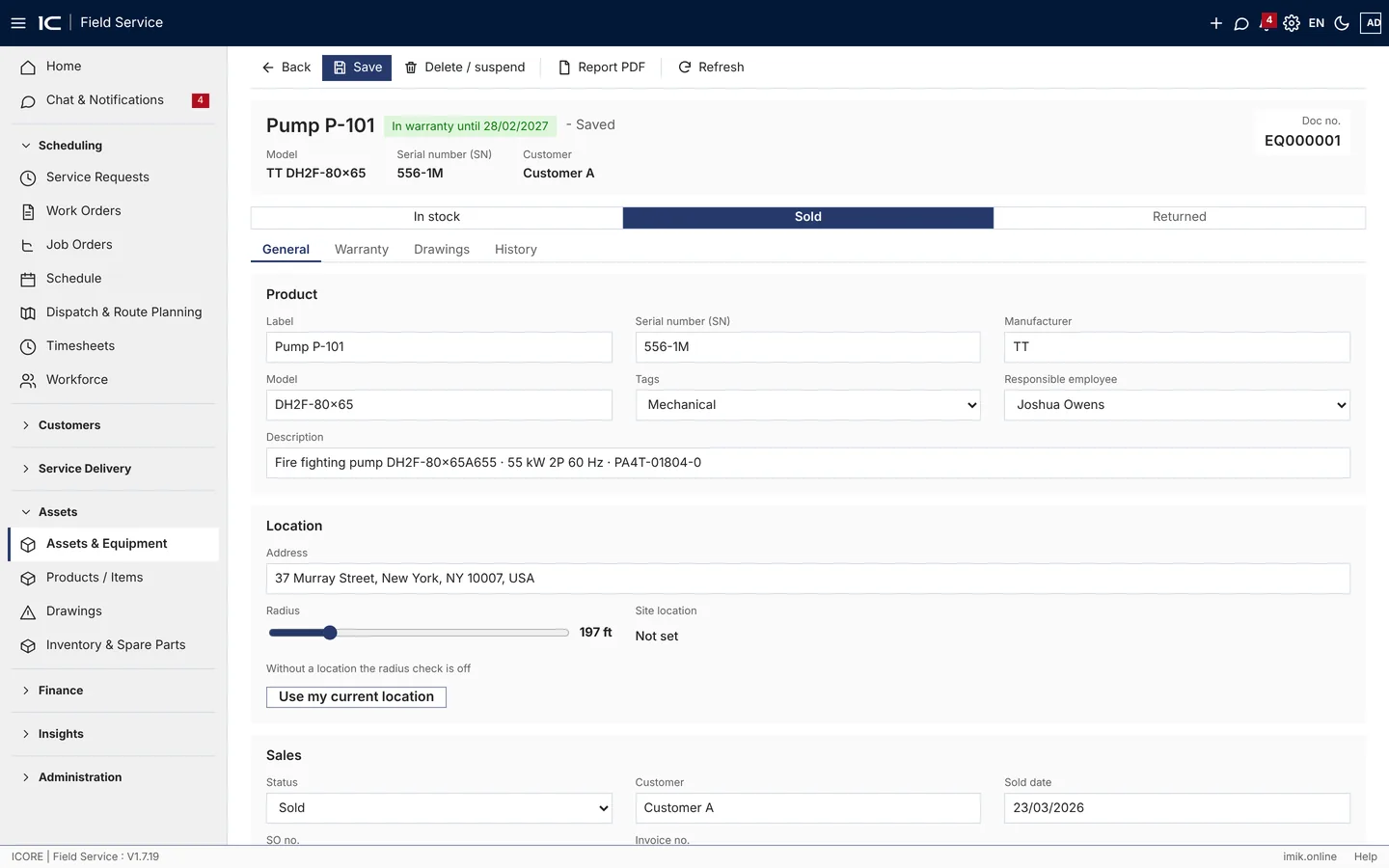
Equipment record — ICore Field Service screenshot (sample data)
Equipment recordModel, serial number, location, warranty and sales details for each unit.
Preventive maintenance — ICore Field Service screenshot (sample data)
Preventive maintenanceMaintenance plans with interval, next due date and days remaining.
Inventory & spare parts — ICore Field Service screenshot (sample data)
Inventory & spare partsOn-hand quantity, minimum level, location, stock value and low-stock status.
SLA & warranty — ICore Field Service screenshot (sample data)
SLA & warrantyBreached, at-risk, running and met counts with response and resolution targets.
Quotations — ICore Field Service screenshot (sample data)
QuotationsQuotation list with customer, status, total and validity date.
Service intelligence — ICore Field Service screenshot (sample data)
Service intelligenceOperational and SLA indicators with CSV and XLSX export.

Mobile interface

Used by technicians in the field and by administrators on the move. Sample data. Sample data

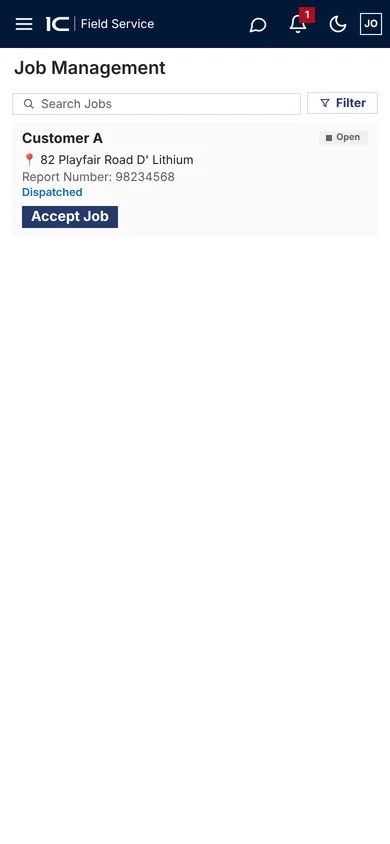
My jobs — ICore Field Service screenshot (sample data)
My jobsTechnician view of assigned jobs with an Accept action.
Job detail — ICore Field Service screenshot (sample data)
Job detailStatus, SLA, field progress, equipment, drawing, checklist and spare parts.
Equipment — ICore Field Service screenshot (sample data)
EquipmentEquipment list with model, serial number and warranty status.
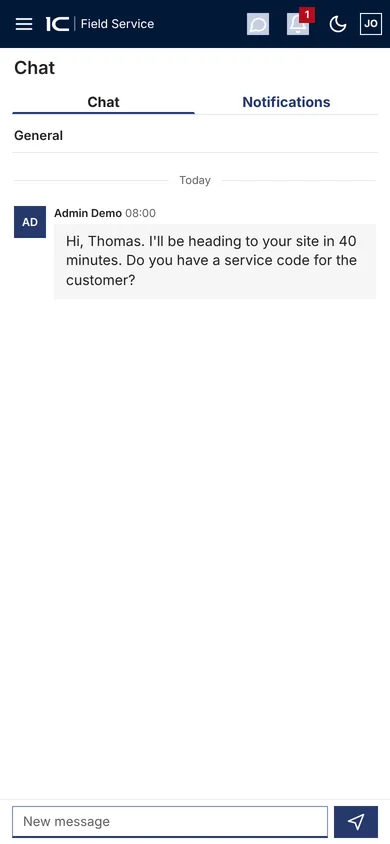
Chat — ICore Field Service screenshot (sample data)
ChatMessages between office and technician.
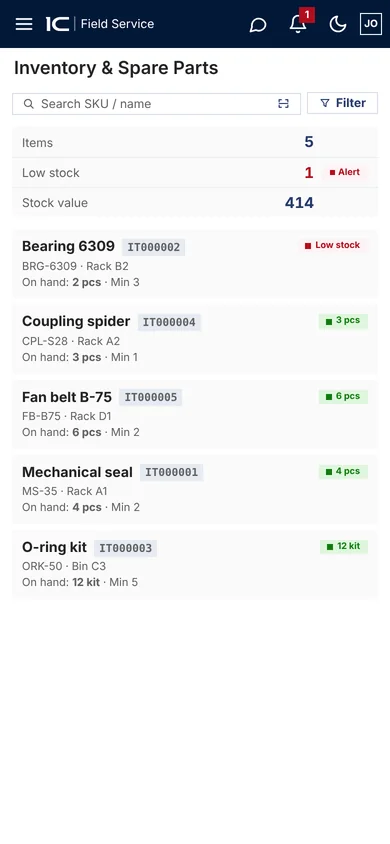
Inventory — ICore Field Service screenshot (sample data)
InventorySpare-part stock with low-stock alerts on a phone.
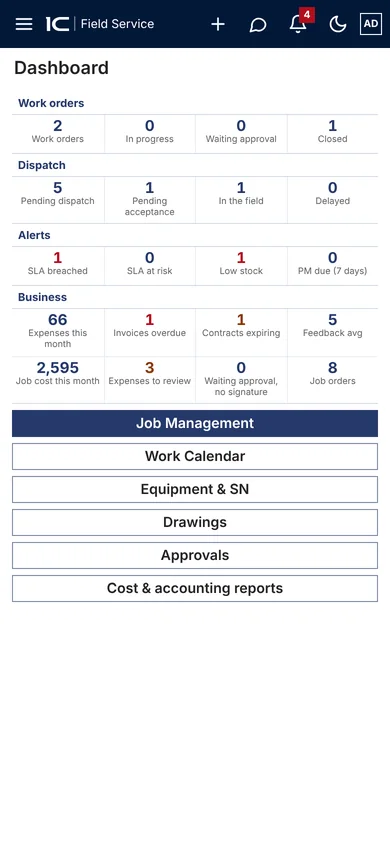
Admin dashboard — ICore Field Service screenshot (sample data)
Admin dashboardWork orders, dispatch, alerts and business indicators for administrators.

User workflows

Two typical paths, based on the screens above.

Office / administrator

  1. Create and organise a work order and issue job orders
  2. Plan the schedule and dispatch technicians using the route-planning timeline
  3. Monitor alerts, SLA status and low-stock items on the dashboard
  4. Prepare quotations and invoices; review service indicators and export data

Technician in the field

  1. See assigned jobs under “My jobs” and accept a job
  2. Open the job detail: SLA, equipment, drawing and checklist
  3. Record repair and service work and the spare parts used
  4. Message the office through chat; check the schedule and equipment list

Business benefits

What the product is designed to support. These describe design intent, not measured results.

One shared record

Jobs, equipment, parts and documents live in one system instead of separate files and chats.

Clearer planning

Schedule, workload and route views help planners assign work with fewer surprises.

SLA visibility

Breached, at-risk and running SLAs are visible before they become problems.

Connected office and field

The same job information is available to the office on web and to technicians on mobile.

Planned and reactive work together

Preventive maintenance plans sit alongside corrective jobs and equipment history.

Parts under control

Minimum levels and low-stock status help keep spare parts available.

Suitable industries

Organisations that service or maintain equipment on customer or plant sites, such as equipment service providers, manufacturing maintenance teams, facility and building services, and energy or utility operations.

See all industries →

See ICore Field Service in action

Ask for a Field Service demo and tell us about your operation. We will respond to your enquiry directly.